
For mechanical master key systems
KeyPlan
Key plan, floor plan and installation status in one place. Import the master key plan from Excel, place the cylinders on the floor plan, and your technicians have everything on site on their tablet.
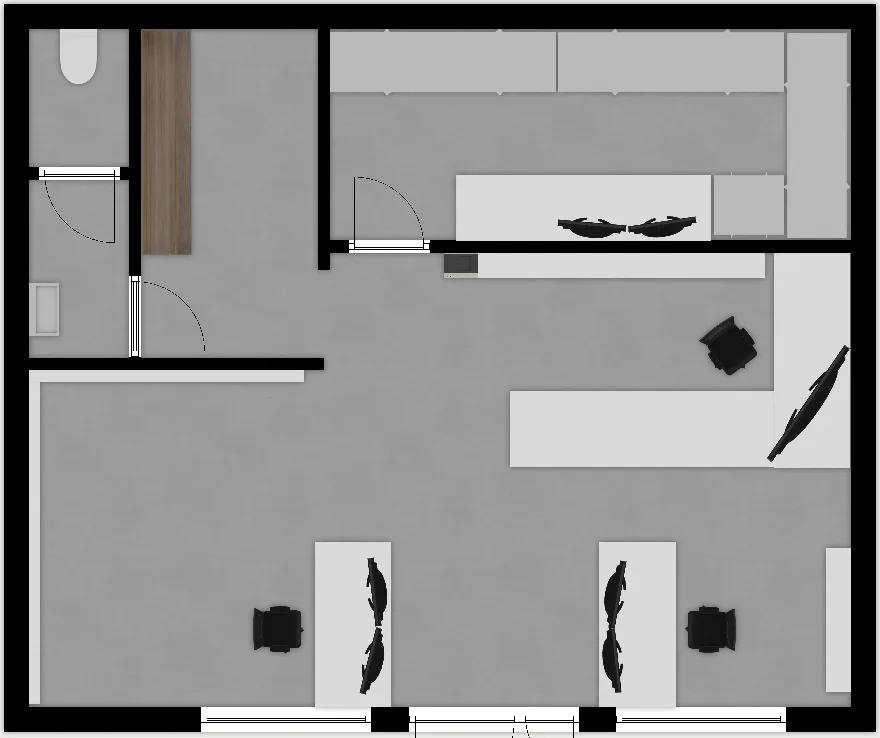
Tap a cylinder and set the installation status, just like the technician on site.
From Excel to the installed cylinder
A key plan created in the office and worked through on site.
Import the key plan
Upload an Excel or CSV file, map the columns, done. The preview highlights each column in color. Save the mapping as a template, for example “EVVA standard”.
Place the cylinders
Upload the floor plan as an image or PDF and drag the cylinders onto the doors. A customer can have any number of plans.
Work through it on site
The technician finds the door, sees cylinder type and size and sets the status: planned, installed or issue, with a note for the office.
The key plan at a glance
Doors and keys in one matrix. One click sets or removes a permission, and the export goes back to Excel.
- Simply re-import an updated key plan: positions on the floor plan and installation status are kept.
- Large systems stay fast. Tested with 1,000 customers and 200,000 cylinders.
| Door no. | Name | MK | Office | Clean. | Storage |
|---|
Click a cellExcel export
What KeyPlan does
- Customers and floor plans
- Any number of customers, any number of plans per customer. Images or PDF, the page you choose is used.
- Excel import with templates
- Map columns freely, save the mapping as a template, update changed plans instead of starting over.
- Key plan matrix
- Set permissions with a click and export the finished plan to Excel.
- Made for tablets
- Pinch to zoom and pan, search across all of a customer’s plans, a note for every cylinder.
- Roles
- Administrator, planner and technician. Technicians only see the customers assigned to them.
- Daily backup
- Database and plans are backed up automatically, including to a network drive. Restore with one click.
- Audit log
- Every change is recorded with user and time.
- Your branding
- Your logo and title on the login page, so your technicians and customers see your name.
Runs on your premises, not in the cloud
KeyPlan is installed on a computer or server on your network. Your data stays with you.
Windows and Linux
One package to unpack, Python included. KeyPlan runs as a scheduled task on Windows and as a service on Linux.
No internet needed
Technicians open KeyPlan in the browser on their tablets. No app required.
Your database
A single file with no setup by default, MariaDB or MySQL if you prefer.
Try, activate, use
Pricing on request. Try KeyPlan for 30 days, then activate it once with a code.
- 30-day free trial with all features
- One-time activation with a code, tied to your installation
- Your data is safe: without a license KeyPlan is locked, never deleted
- New versions are available for download in the customer area
How to try KeyPlan
30 days free, with all features. For property managers, operators, installers and locksmiths.
Request trial access
A short form with your company and contact details. This tells us who is asking, so we can help you directly.
Activation
We review your request and activate your access to the customer area.
Download and try
Download KeyPlan for Windows or Linux in the customer area. 30 days with all features, then a one-time activation.
Already have access? Log in to the customer area
The customer area always has the latest version, guides and updates. Are you an installer or locksmith who wants to offer KeyPlan to your customers? We would be happy to talk about a partnership: Contact us.
Frequently asked questions
Who is KeyPlan for?
For anyone who manages mechanical master key systems: property managers, operators, installers and locksmiths.
Can I import my existing key plan?
Yes. KeyPlan imports Excel and CSV files, and you map the columns yourself during import. EVVA key plans are recognized directly.
Does KeyPlan need internet or a cloud?
No. KeyPlan runs on a computer or server on your network, on Windows or Linux. Your data stays with you.
Can technicians work on site on a tablet?
Yes, in the browser, without an app. Technicians only see the customers assigned to them and enter installation status and notes right on the floor plan.
How large can a system be?
KeyPlan is tested with 1,000 customers and 200,000 cylinders.
How does the free trial work?
You request trial access, we activate your access to the customer area, and you download KeyPlan for Windows or Linux. 30 days with all features.
What happens to my data after the trial?
Nothing is deleted. KeyPlan is simply locked until you activate it once with a code.