CB Node

Cloud service for Ajax security systems

Your alarm system. Integrated everywhere.

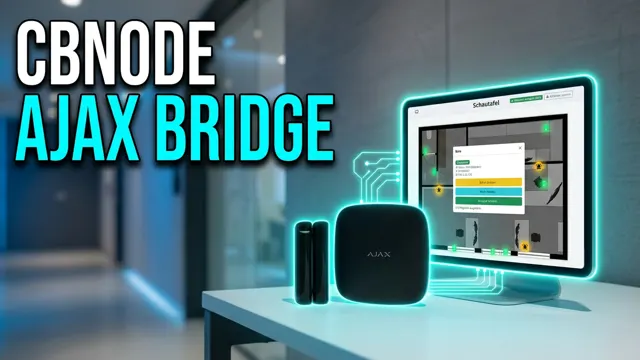
Ajax Bridge connects your Ajax system to smart home platforms, building automation and your own applications. States and events arrive in real time via MQTT and REST API, including EN 54 fire detectors.

14 days for private users, 30 days for installers. No credit card required.

From the Ajax Cloud to your system

Ajax Bridge handles the communication between the Ajax Cloud and your systems, fully automatically.

  1. 1

    Ajax Cloud connects

    Your Ajax hub reports events and states to the Ajax Cloud.

  2. 2

    Bridge receives

    Ajax Bridge continuously retrieves the status, optionally with real-time push via AWS SQS (recommended).

  3. 3

    MQTT & API deliver

    All data is available to your systems as MQTT topics and through the REST API.

  4. 4

    Your system reacts

    Loxone, KNX, Home Assistant or your own applications react to the events.

  5. 5

    Floor plan shows it

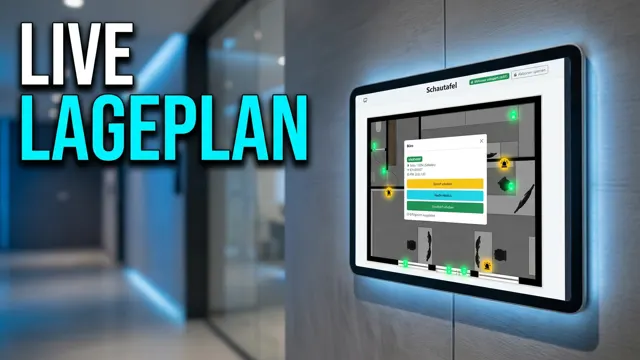
    Optionally, the Floor Plan Designer shows every event live on the floor plan of your site.

Works with your systems

Ajax Bridge speaks MQTT and REST. Step-by-step guides are available for all common platforms.

Live

Ajax Bridge live demo

Try a sample house with made-up data: security groups and controls, just as you see them in the portal. No sign-up needed.

Open live demo

Everything you need

Real-time events
Device states arrive via a push connection to the Ajax Cloud with no noticeable delay.
MQTT
Clearly structured topics for device states, system modes and commands, TLS-encrypted on port 8883.
REST API
Query status, arm and disarm, bypass individual devices.
Groups
Arm, disarm or set night mode for each security group individually.
Device monitoring
Battery, temperature, signal strength and online status of every device at a glance.
EN 54 fire detectors
Fire alarms and disabled detectors are reported whether or not the system is armed.
Secure connections
HTTPS, MQTT with separate credentials per system, API keys and rate limiting.
Easy setup
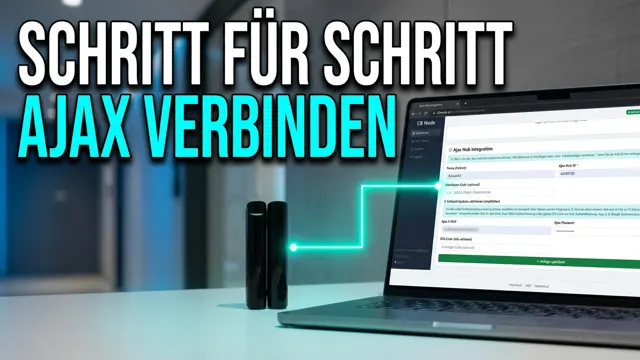
Step-by-step guides and videos for every platform, with personal help if you need it.

Add-on for installers and businesses

Floor Plan Designer: your building, live at a glance

Place your devices on the actual floor plan of your site. Every point shows its state live, full screen on a monitor or on a smartphone.

  • Upload a floor plan, place devices by drag and drop
  • Alarm, tamper, bypass, motion, battery and temperature right on the plan
  • Multiple floors; on alarm the view switches automatically
  • Kiosk view with PIN: arm, disarm and bypass without portal access
  • Live camera view and video archive of the last hour (beta)

Pricing

Billed annually, cancel at the end of the term. No hidden costs.

Private

€49 incl. VAT per system per year

14-day free trial, no credit card required

  • Customer portal (web and mobile)
  • MQTT access (port 8883, TLS-encrypted)
  • REST API
  • Real-time status of all devices
  • Arm, disarm and night mode
  • Bypass individual devices
  • Event log in the portal
  • KNX/Weble export (.json and .knxprod)
  • Loxone XML export
  • CB Node Control Center export (.json)
  • Email support
Start free trial

Installer / Business

€59 excl. VAT per system per year

30-day free trial, no credit card required

  • Everything in Private
  • Installer overview of all systems (table view)
  • Email notifications for alarm, tamper, offline and battery
  • Monthly PDF status report by email
  • Webhook on events (HTTP POST)
  • Personal help with commissioning on request
Start free trial

Optional add-on

+ Floor Plan Designer+ €79 excl. VAT per system per year

Devices live on the floor plan, kiosk view with PIN, camera view (beta). Only available with this plan, already included in the 30-day trial. More about the Floor Plan Designer

General terms

Billing
Annually in advance
Term
1 year from activation
Cancellation
Any time, effective at the end of the term
New system
Full year from activation
Trial (private)
14 days free
Trial (business)
30 days free
Activation
Manually by CB Node within 24 hours
Payment
Bank transfer or PayPal (invoice via PayPal)
VAT (private)
20% VAT included
VAT (business)
Net plus VAT, EU reverse charge available
VAT ID
Enter it at sign-up for EU reverse charge

Videos

Short tutorials for the key steps. The videos are in German.

Frequently asked questions

How long does activation take after sign-up?

We activate your account within 24 hours after you confirm your email address.

Why won’t my Ajax hub connect to Ajax Bridge?

Usually office@cbnode.at has not been added as an installer in the Ajax app. Without it, CB Node cannot access the hub.

How long can I try Ajax Bridge for free?

14 days as a private user, 30 days as an installer or business customer. No credit card required.

Is my Ajax password stored?

Yes, encrypted. It is only used to sign in to Ajax again automatically, for example for video access.

What is the difference between SQS and automatic polling?

SQS delivers status changes in real time directly from Ajax. Automatic polling queries your hub at regular intervals. SQS is the recommended, faster option.

How do I pay?

By bank transfer or PayPal. The invoice is issued via PayPal.

What happens if I cancel?

You can cancel at any time. Cancellation takes effect at the end of the current year’s term.

How much does the Floor Plan Designer cost?

€79 per system per year, excl. VAT, as an add-on to the Installer / Business plan.

What is the difference between Ajax Bridge and Control Center?

Ajax Bridge connects one Ajax alarm system to smart home and building systems such as Loxone, KNX or Home Assistant. With the Floor Plan Designer add-on, it also shows the Ajax devices live on the floor plan: as a full-screen kiosk on a monitor, on a tablet or on a phone, with PIN-protected controls. This floor plan shows that one Ajax system only. Control Center is an on-premises control room for the whole site. It brings different security systems together on one floor plan: EVVA Xesar access control, ABI alarm panels, KNX, cameras and also Ajax systems via Ajax Bridge.

Which systems is Ajax Bridge compatible with?

KNX, Loxone, Home Assistant, ioBroker, Node-RED, openHAB, IP-Symcon and CB Node Control Center, plus an open REST API for your own applications.

Does Ajax Bridge support fire detectors?

Yes. EN 54 certified Ajax fire detectors are integrated directly, whether or not the system is armed.

Can I manage several Ajax systems with one account?

Yes, as an installer or business customer. Private accounts are designed for one system.
Ready to get started?

Sign up in the portal and connect your first system in minutes.