How it works

No more device lists: the whole floor plan at a glance

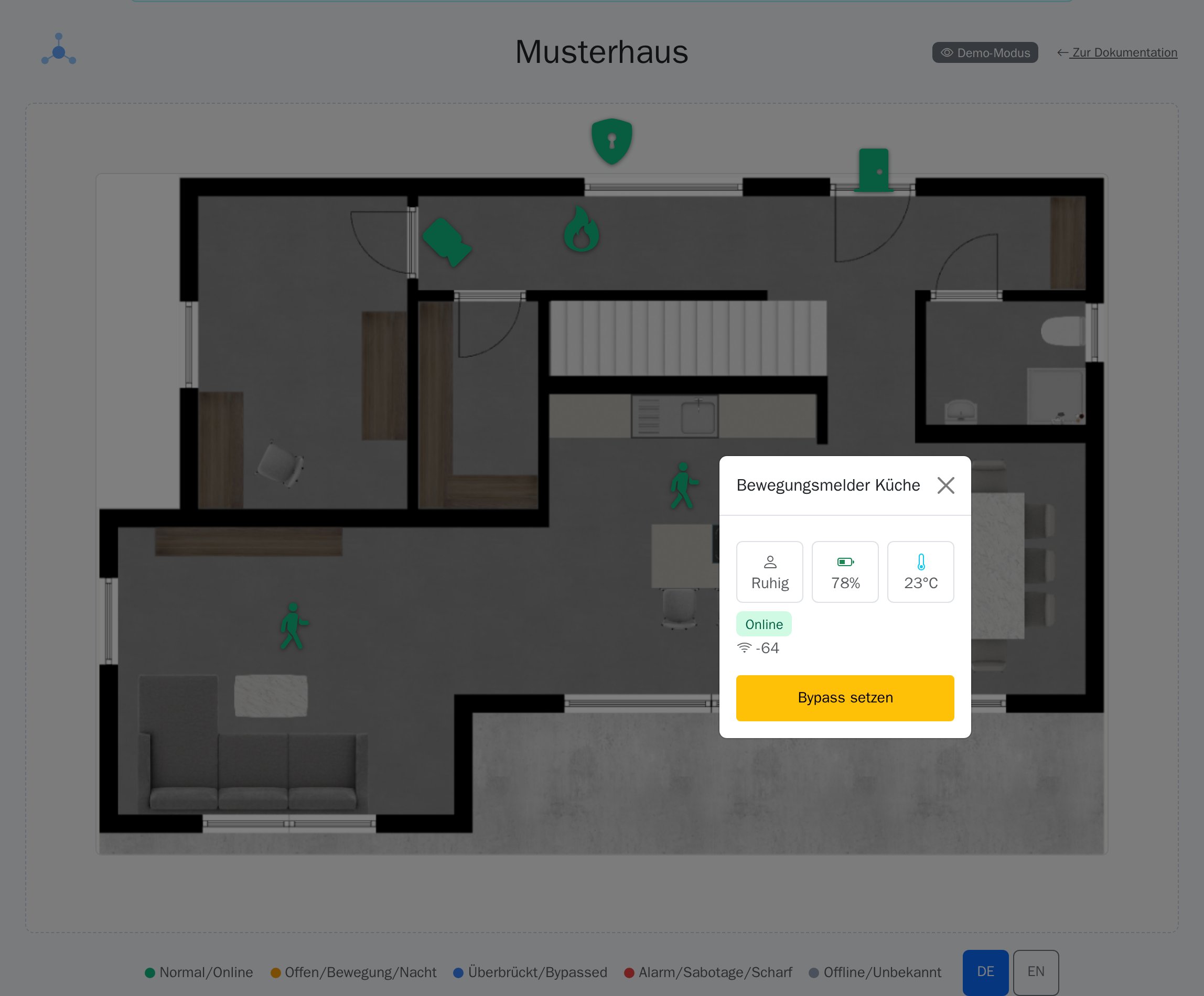
Instead of an abstract device list, you see at a glance where something is happening in the building. Every detector, socket, and motion sensor is shown as an icon at its real position on the floor plan — color and icon update in real time with its status. Clicking a point opens the detail panel with all current values and — depending on permissions — direct remote control.
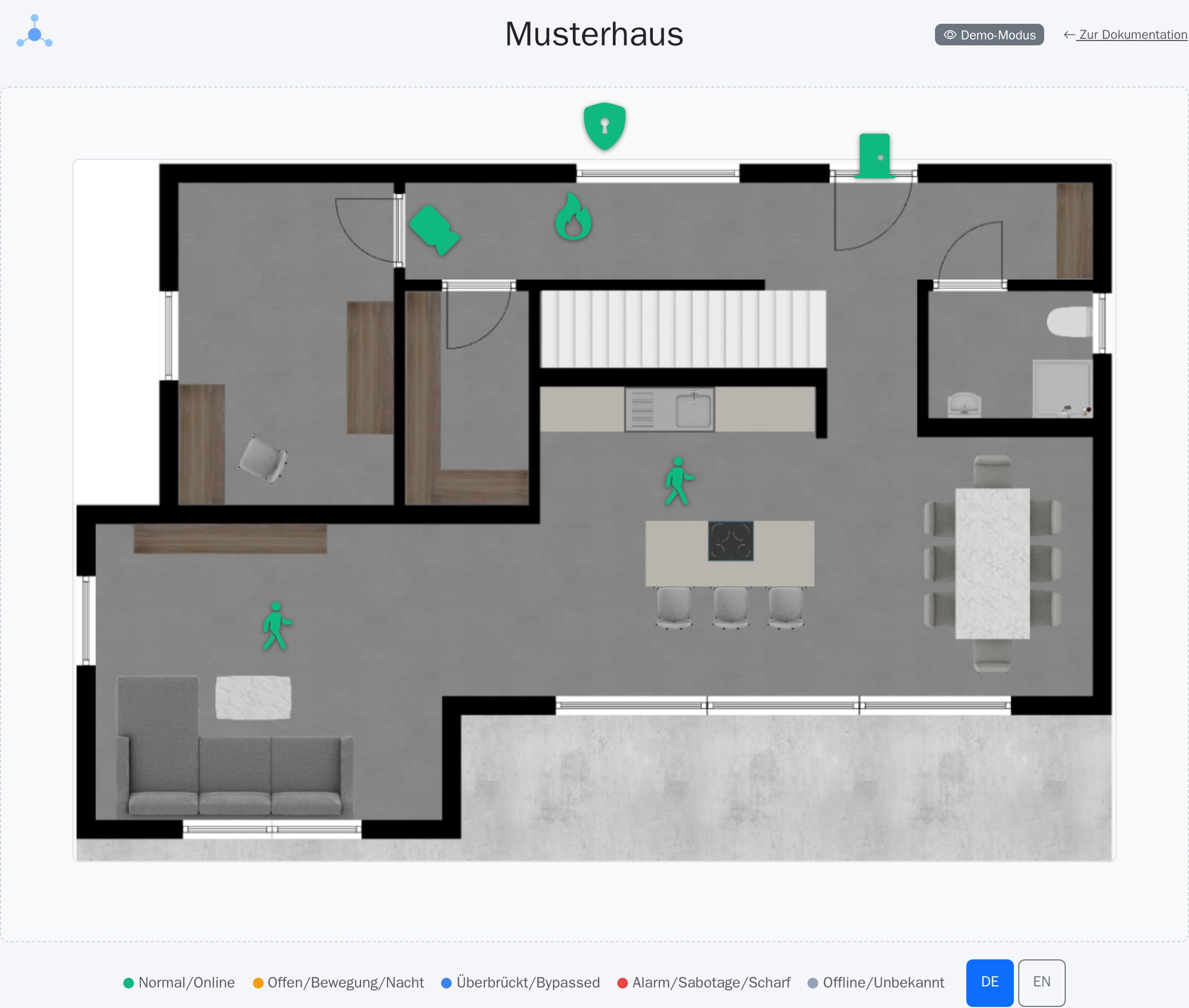
Dashboard Designer kiosk view: floor plan with live markers and legend
Floor plan with live markers and legend — runs as a full-screen kiosk on any monitor with a web browser.
Open detail panel of a detector showing live values
Clicking a detector shows live values like battery, temperature and signal strength — plus direct bypass control where needed.
Features

Features at a glance

Ideal for

Reception areas, factory halls and more

Reception areas, factory halls, office buildings and any site with multiple security zones — anywhere a glance at a wall monitor beats clicking through a device list.

View demo View pricing